
Set Up Your Gateway
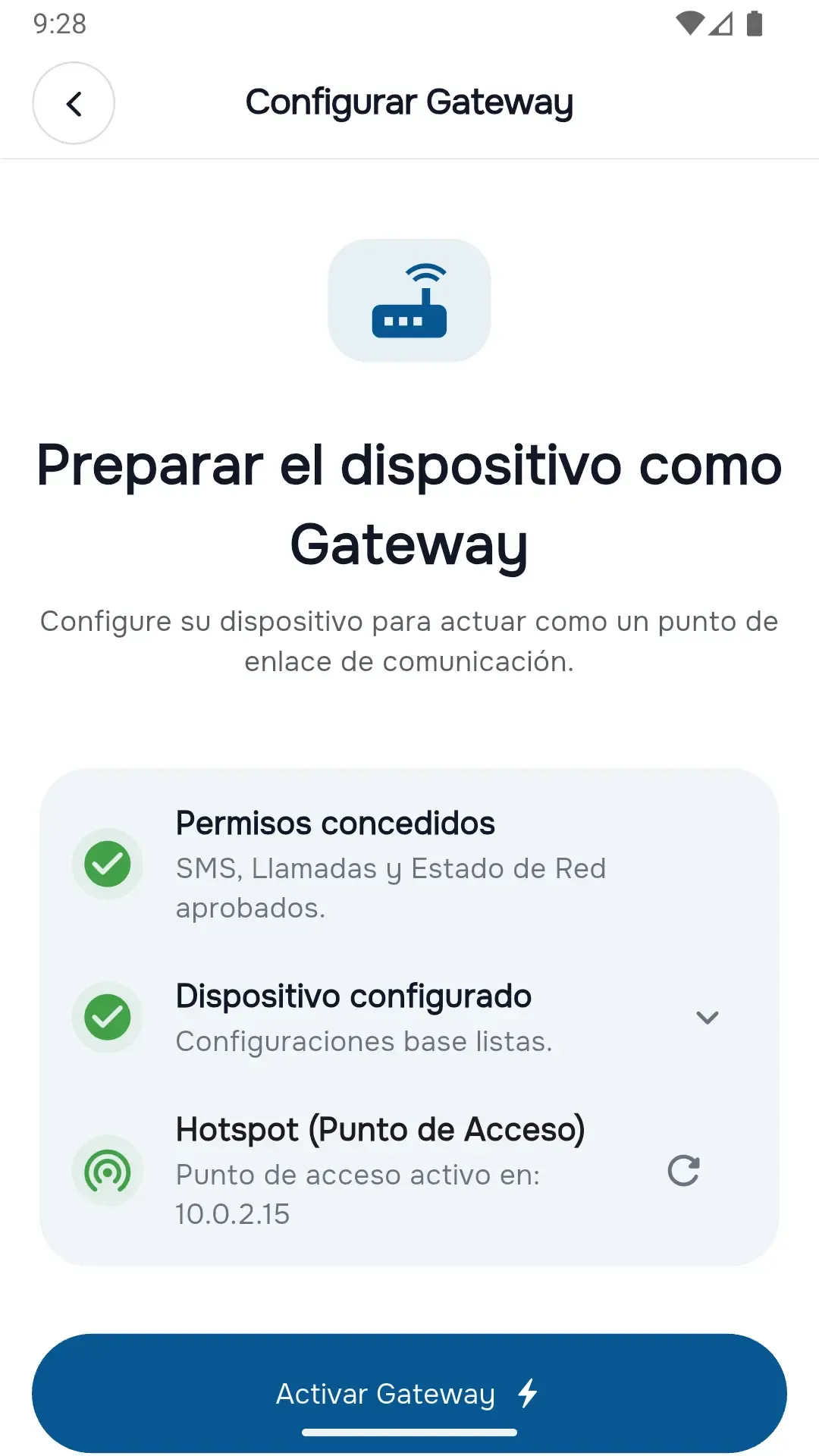
Choose the Android phone that contains your SIM card and grant the required permissions for SMS, calls, contacts, and notifications. This device becomes your communication Gateway.
Set Up Your Gateway
One-Time Setup
Connect your Android devices and synchronize SMS messages and call history over your local network.
DialcaLink lets you turn one Android device into a Gateway while another acts as a Client, allowing you to access SMS conversations and call history in real time.
Built around a local-first philosophy, DialcaLink works directly between your own devices without cloud services, online accounts, or third-party servers—keeping your communications private and under your control.
Pair your Android devices once and enjoy secure, real-time communication synchronization without cloud services, accounts, or third-party servers.
Choose the Android phone that contains your SIM card and grant the required permissions for SMS, calls, contacts, and notifications. This device becomes your communication Gateway.
One-Time Setup
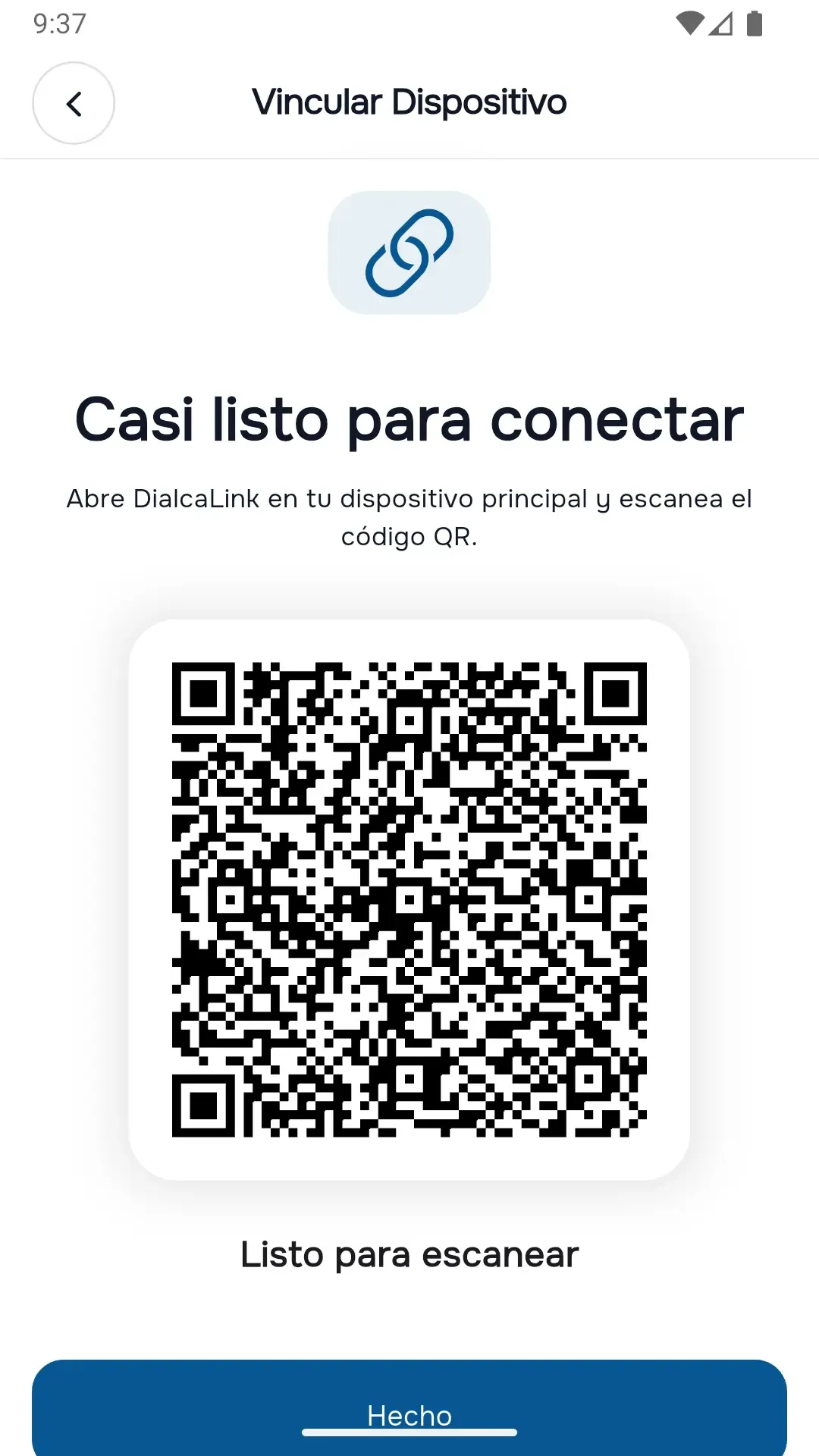
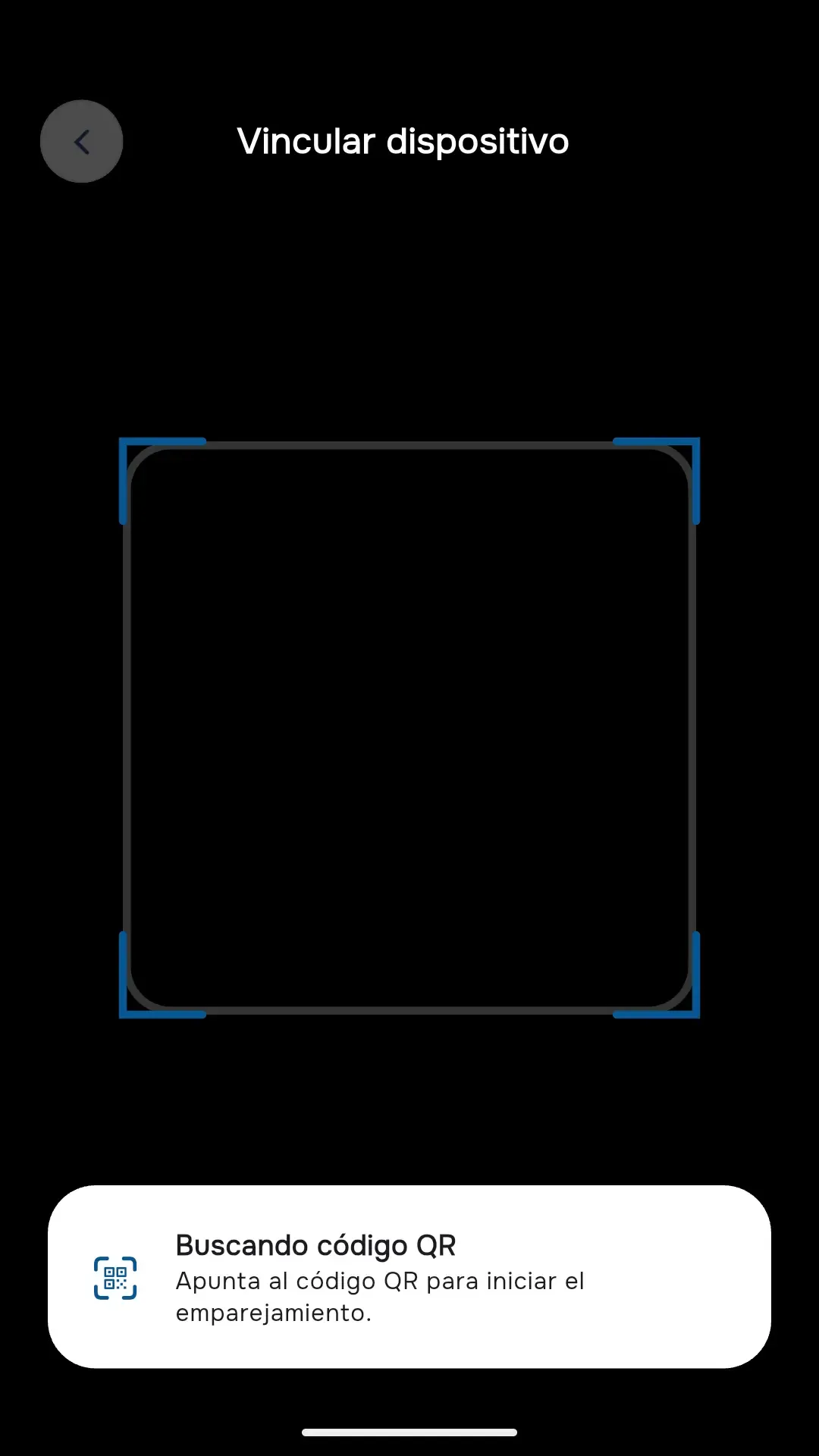
Scan the QR code from your Client device to establish a secure connection over your local network. No accounts, cloud services, or Internet connection are required.
Secure Local Pairing
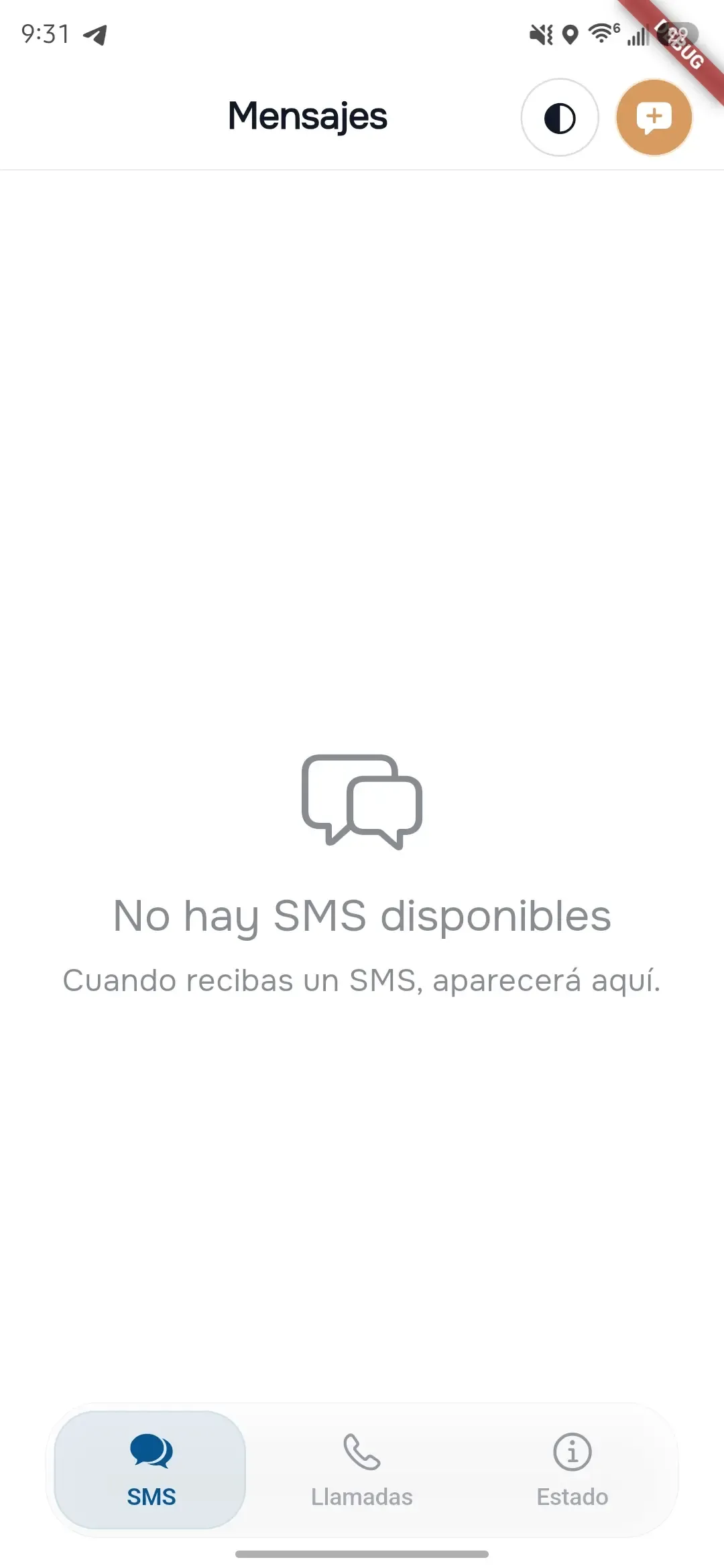
Receive SMS and call history in real time, reply to messages, search contacts, and keep everything synchronized automatically while the Gateway runs in the background.
Real-Time Synchronization
Ready to get started?
Download DialcaLinkChoose the Android device that will host your communications
The Gateway is the device that contains your SIM card and serves as the communication hub. During the initial setup, you'll grant the permissions required to access SMS, call logs, and contacts.
The Gateway only needs to be configured once. After pairing, it will automatically reconnect to your Client whenever both devices are available.

Create a secure connection in seconds
DialcaLink uses QR-based pairing to establish a direct connection between your Gateway and Client. Everything happens over your local network without requiring cloud services or user accounts.
Both devices should be connected to the same local network or hotspot during pairing for the best experience.


Access your messages and calls in real time
Once paired, DialcaLink continuously synchronizes SMS conversations and call history between your devices. You can browse conversations, search contacts, and reply to incoming messages directly from the Client.
For uninterrupted synchronization, allow DialcaLink to ignore battery optimizations on the Gateway device.

Understanding what DialcaLink doesn't do is just as important as knowing what it does
DialcaLink communicates directly between your Android devices over your local network. Your messages and call history are never routed through external servers.
There are no registrations, email addresses, or online accounts. Simply pair your devices and start synchronizing.
Synchronized SMS, call history, and contacts remain stored on your own devices. DialcaLink never collects or uploads your personal communications.
One Android device acts as the Gateway using its SIM card, while another becomes the Client, giving you remote access to your communications over your local network.
DialcaLink securely connects two Android devices, allowing one to act as a Gateway while the other becomes a Client. SMS messages and call history are synchronized directly over your local network, without relying on cloud services or third-party infrastructure.
Your communications remain on your own devices at all times. No accounts, no external servers, and no unnecessary data collection—just private, reliable synchronization between devices you control.